Medical & Dental payment solutions
Payment Solutions Built for Medical & Dental Practices
PartnerSwipe helps offices, dental practices, chiropractors, optometrists, physical therapists, specialty practices and other healthcare providers simplify the way they collect patient payments.
From collecting a copy at the desk to sending a patient a payment link after their visit we can help your practice create a faster, easier and more professional payment experience.
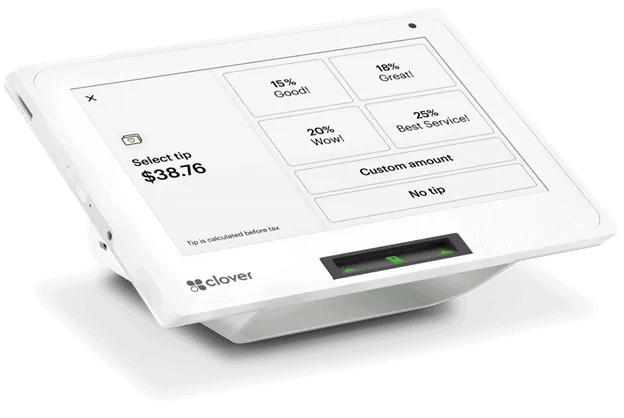
Our #1 Pick: Clover Mini
Clover Mini is our hardware choice for medical and dental offices because its small size fits easily at a reception or checkout desk while giving practices a modern way to accept patient payments.
For practices looking for advanced healthcare functionality Clover PracticePay adds healthcare-specific payment and billing tools designed around the patient experience.
Make Paying at the Front Desk Easy
Give patients a convenient way to pay copays, outstanding balances, deductibles, treatments and other patient-responsibility amounts.
Clover PracticePay supports card- payments, digital wallets, HSA/FSA payments and additional payment options.
Your Clover Mini makes sense at the reception desk while the smaller Clover Compact can work well for practices that primarily need a straightforward payment terminal.
Send Patients a Text to Pay
Clover PracticePay allows practices to send patients secure text-to-pay links with messaging. Patients can receive the link on their phone. Complete their payment without needing to come back into the office.
Don't chase down payments. Send a payment link directly to your patient's phone.
Offer Payment Plans & Recurring Payments
For dental procedures, ongoing treatments or other services where the patient doesn't want to pay the entire balance at once Clover PracticePay supports payment plans and recurring payments.
Practices can also securely keep an encrypted card on file for authorized payments, including repeat treatments and recurring payment arrangements. Clover states its PracticePay card vault is HIPAA-compliant.
Online & Remote Patient Payments
Not every payment needs to happen at the reception desk.
Practices can provide a payment page for 24/7 collections allowing patients to pay outstanding balances remotely. Clover also supports email invoicing with a payment button through its Virtual Terminal.
That gives the practice ways to collect:
Front Desk → Text-to-Pay → Online Payment → Invoice → Payment Plan
Integrate Payments With Your Practice
Connect payments with your existing practice-management workflow and reduce manual entry.
Appointment Scheduling & Reminders
Clover also offers appointment-management tools on software plans, including online booking, appointment calendars, email/SMS reminders and cancellation or no-show fees.
Keep Track of Payments & Outstanding Balances
Clover PracticePay provides a dashboard where practices can view payment activity and outstanding balances helping the front office stay on top of collections.
By relying on disconnected payment terminals the goal is to give the practice a clearer picture of what has been paid and what is still outstanding.
Installation & 24/7 Support
PartnerSwipe helps with equipment setup, installation, payment processing configuration and ongoing support.
We'll work with your practice to determine the equipment and payment setup based on how you collect payments. Whether that's at the front desk remotely, online or through patient payment plans.
Recommended equipment
Recommended equipment for medical & dental.
Compare the recommended checkout setups for these day-to-day needs.
-
Rank #1 · Top pick
Compact POS
Clover Mini 3rd Gen
See pricing and detailsBest for
- Medical offices
- Dental practices
- Chiropractors
Features
- Compact counter
- Contactless
- Reporting
- Digital receipts
-
Rank #2 · Runner-up
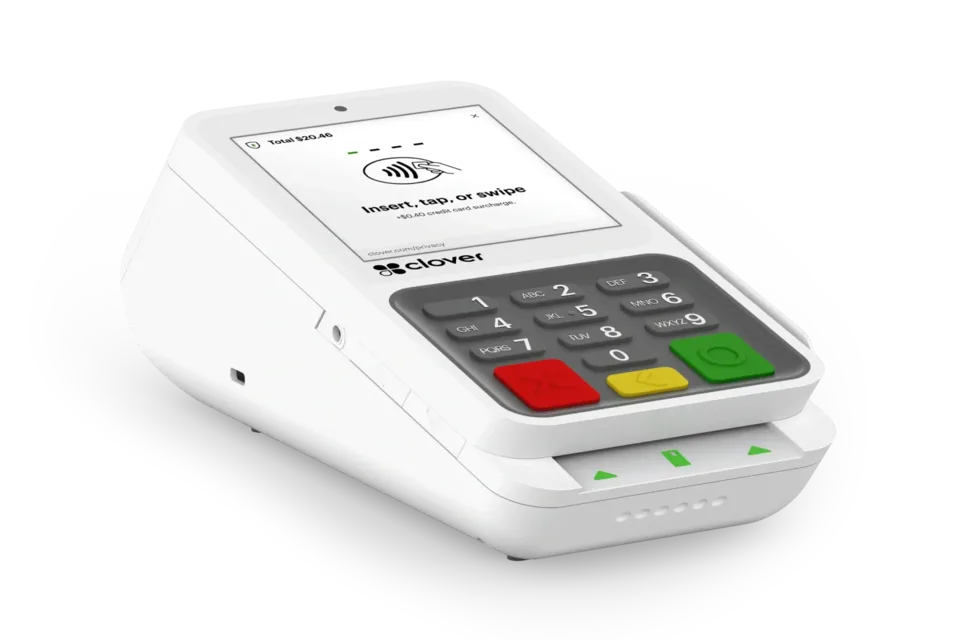
Compact terminal
Clover Compact
See pricing and detailsBest for
- Reception desks
Features
- Small footprint
- EMV
- NFC
-
Rank #3 · Third pick
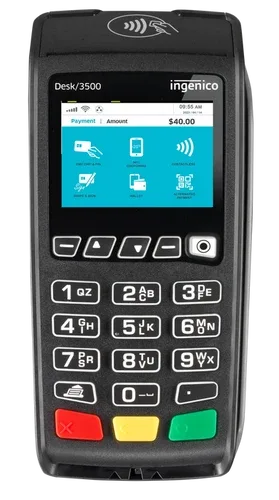
Legacy countertop terminal
Ingenico Desk 3500
See pricing and detailsBest for
- Compatible legacy countertop deployments
Features
- Chip payments
- PIN debit
- Contactless
- Built-in printer
Feature availability can depend on the software plan, apps, processing setup, connectivity, eligibility, and configuration. Confirm required features and integrations before ordering.
Find out what your processing is really costing you.
Get a review of your rates, equipment, and options with no obligation.