Retail payment solutions
Payment Processing & POS Solutions Built for Retail
PartnerSwipe helps retail businesses simplify checkout, manage inventory, understand what's selling and create an experience for their customers.
Whether you operate a clothing store, boutique, gift shop, electronics store or other retail business we'll help you build a payment and POS setup around the way your store operates.
From installation and setup to 24/7 support PartnerSwipe is there to help keep your business running.
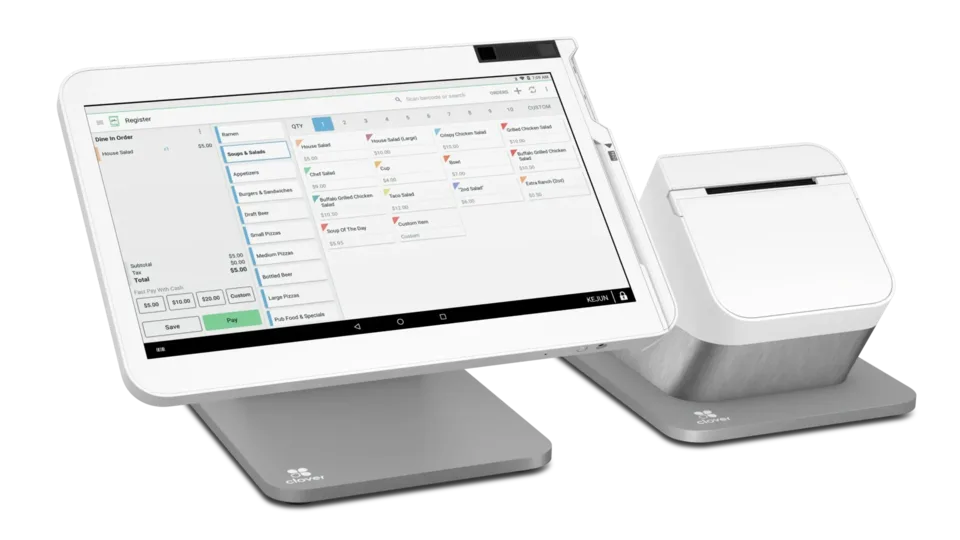
Our Number One POS Choice for Retail: Clover Station Solo
Clover Station Solo is our POS choice for retail businesses. It combines payment processing with inventory management, reporting, customer engagement, gift cards and other tools that help retailers manage their business from one system.
Make Returns & Exchanges Simple
Returns are part of running a business so they shouldn't be difficult for your employees or customers.
Compatible Clover retail plans support itemized returns and exchanges while Clover can also process refunds for transactions involving forms of payment. This helps create an easier experience when a customer needs to bring something back.
Know Exactly What's in Your Store
Keep track of your products without relying on spreadsheets or manual counts.
Clovers inventory tools can help retailers organize SKUs, track product variations, monitor stock levels, scan barcodes and update inventory as products are sold.
For clothing stores for example you can keep track of brands, sizes, colors, styles and product variations within your inventory.
See What's Selling.. Whats Not
Your POS system should tell you more than how much money you made today.
Clover reporting can help identify your worst-performing items, along with revenue sales trends, refunds, discounts, locations and other performance information.
For a clothing or specialty retailer this can help answer questions like:
Which brands are selling the most? Which products aren't moving? What should I reorder? What should I stop carrying?
That information can help owners make decisions about inventory, purchasing, pricing and promotions.
Keep Track of Orders & Sales
Keep transaction information organized through your POS instead of digging through paperwork.
Clover allows businesses to track sales, refunds, open orders, deposits and reports through the Clover dashboard. Owners can also access reporting from a phone or computer.
Offer Gift Cards & Build Customer Loyalty
Give customers another reason to come back.
Clover supports digital gift cards allowing customers to purchase gift cards for friends, family or future purchases. Retailers can also use Clovers customer engagement tools for rewards, promotions and customer loyalty.
Seamless & Easy Payments
Give customers the flexibility to pay the way they want. Clover retail systems support credit and debit cards, gift cards, contactless payments and mobile wallets.
PartnerSwipe can help with equipment setup, installation, payment processing configuration and ongoing support so your employees can focus on serving customers without worrying about the technology.
Recommended equipment
Recommended equipment for retail.
Compare the recommended checkout setups for these day-to-day needs.
-
Rank #1 · Top pick
Countertop POS
Clover Station Solo
See pricing and detailsBest for
- Clothing stores
- Gift shops
- Electronics
- General retail
Features
- Inventory management
- Barcode scanning
- Employee permissions
- Customer loyalty
- Reporting
- Gift cards
-
Rank #2 · Runner-up
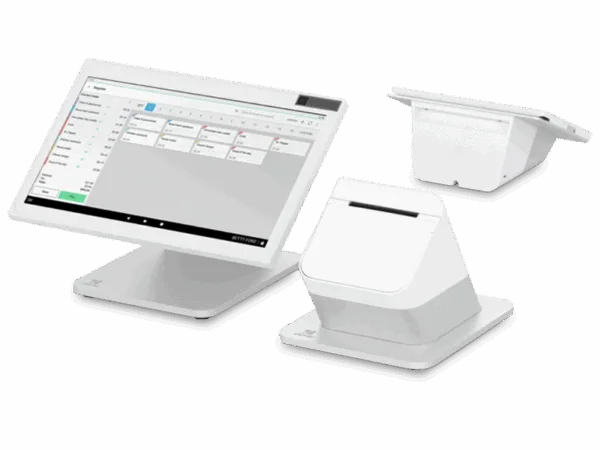
Dual screen POS
Clover Station Bundle Duo 2nd Gen
See pricing and detailsBest for
- Busy retail stores
- Customer-facing checkout
Features
- Dual-screen checkout
- Digital receipts
- Customer display
- Faster transactions
-
Rank #3 · Third pick
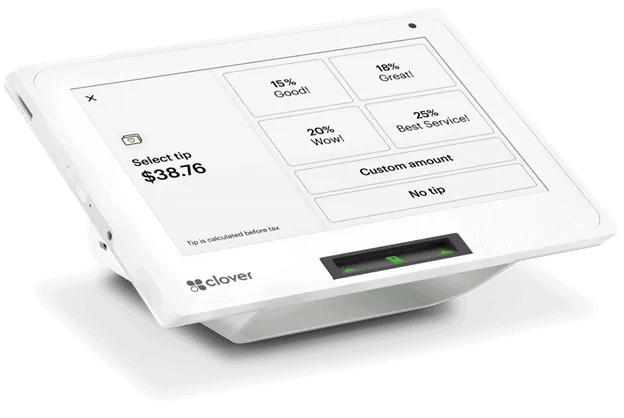
Compact POS
Clover Mini 3rd Gen
See pricing and detailsBest for
- Small retailers
- Boutique shops
Features
- Compact register
- Inventory
- Reporting
- Contactless payments
-
Rank #4 · Also recommended
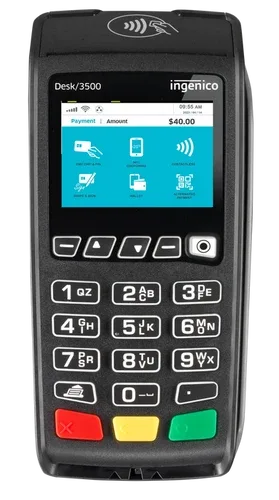
Legacy countertop terminal
Ingenico Desk 3500
See pricing and detailsBest for
- Compatible legacy countertop deployments
Features
- Chip payments
- Contactless payments
- PIN debit
- Built-in printer
Feature availability can depend on the software plan, apps, processing setup, connectivity, eligibility, and configuration. Confirm required features and integrations before ordering.
Common questions
Retail payment processing FAQs
How can I start accepting card payments in my retail store?
PartnerSwipe can review your business, recommend a processing and equipment setup, and help with activation. Timing depends on underwriting, equipment availability, and configuration.
Can I support both in store and online sales?
Yes. PartnerSwipe offers options for payments in person and through ecommerce. The team can help identify a compatible approach for your existing sales channels.
What should I consider when choosing a retail POS?
Consider transaction volume, inventory needs, counter space, mobility, reporting, locations, integrations, and how customers prefer to pay.
Find out what your processing is really costing you.
Get a review of your rates, equipment, and options with no obligation.